

RxSpark Mobile App Update Released for iOS and Android
Jun 23, 2020
It's here! We are excited to announce a major new update to the RxSpark mobile app available in the App Store and Google Play. Building on the core features that make our app so powerful, we've improved the look and feel of the app for our users, and, having listened to feedback from our users, have introduced a number of exciting new features...
What's New?
- Map price view
- Login with Face ID and Fingerprint (Touch ID)
- Save vouchers to the Apple Wallet
- Spanish language option
- Read our News and Blogs through the app
- Improved look and user experience
Map Price View
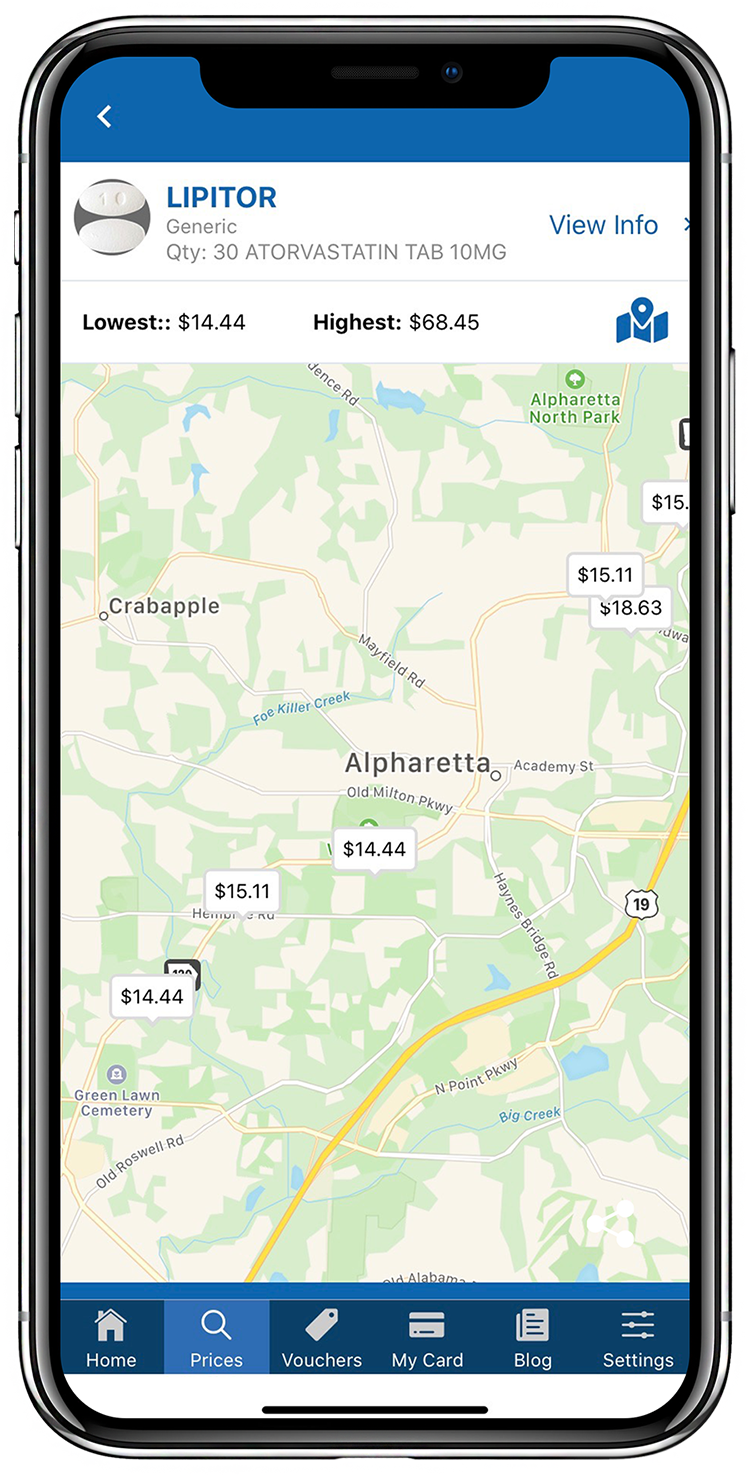
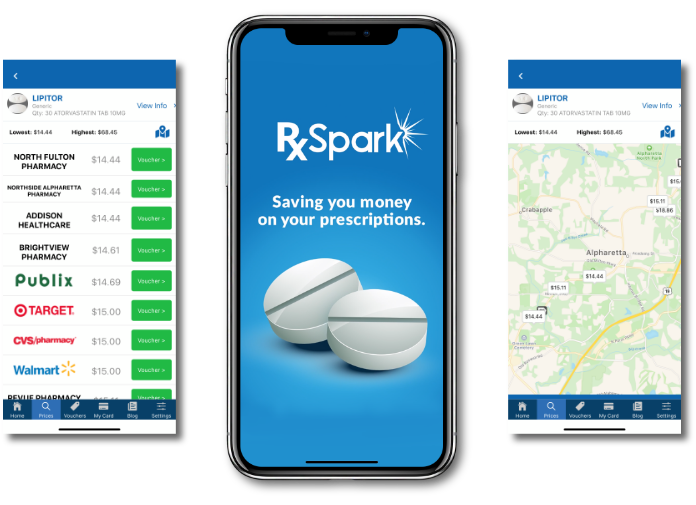
We love this function! One of the major new features introduced in the latest release is a Map View option. This enables you to easily find the pharmacy with the best price and most convenient location for you.
To try it out, just enter the name of your drug and your zip code and tap search. As in previous versions of the app, results are displayed in a list with the lowest price at the top. Tapping the map icon will show the prices in real-time on the map, making it easy to find a voucher for a pharmacy with a low price and convenient location.
When you spot a price you like, just tap the price on the map for the voucher, which you can save to the app, screenshot, or add to your Apple Wallet (more on this later!).
 Face ID and Touch ID
We take security and privacy very seriously, but understand it can be annoying to log in and out of an app regularly. Fortunately, the introduction of Touch ID and Face ID makes it easy to quickly login and use the app on the go.
To set up Fingerprint ID or Face ID, simply go to Settings, the "Set Up Local Authentication", and ensure the toggle is active. That's it! Now your app will use whatever login method you use to unlock your phone.
Save Vouchers to the Apple Wallet
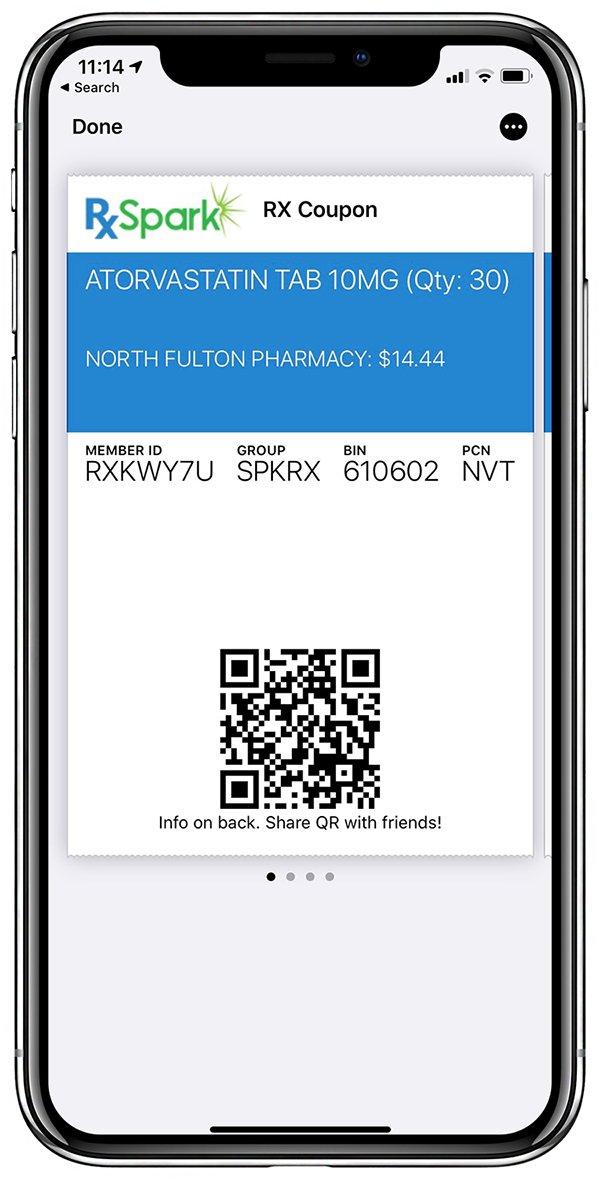
The RxSpark app enables you to save as many vouchers as you like in the app itself, but we know that sometimes it is easier to save vouchers directly to your phone or camera roll so you can quickly share your details with the pharmacist when filling your prescription.
So we've given you the choice! Once you have selected a voucher for your medication, you can either save to the app, save a screenshot of the voucher to your Photos, or, if you have an iPhone, choose Save to Apple Wallet for lightning quick access at the pharmacy!
 Language Toggle
An estimated 45 million people in the US speak Spanish at home, and we want RxSpark to be available for all. In the new version of the app, you can easily switch language. By changing the Language in Settings, you change your default language on the RxSpark platform, so when you log into the website, that will also display in your chosen language. Alternatively, tap the flag on the app to quickly toggle the app to Spanish or English without changing your default settings.
News and Blogs on the app
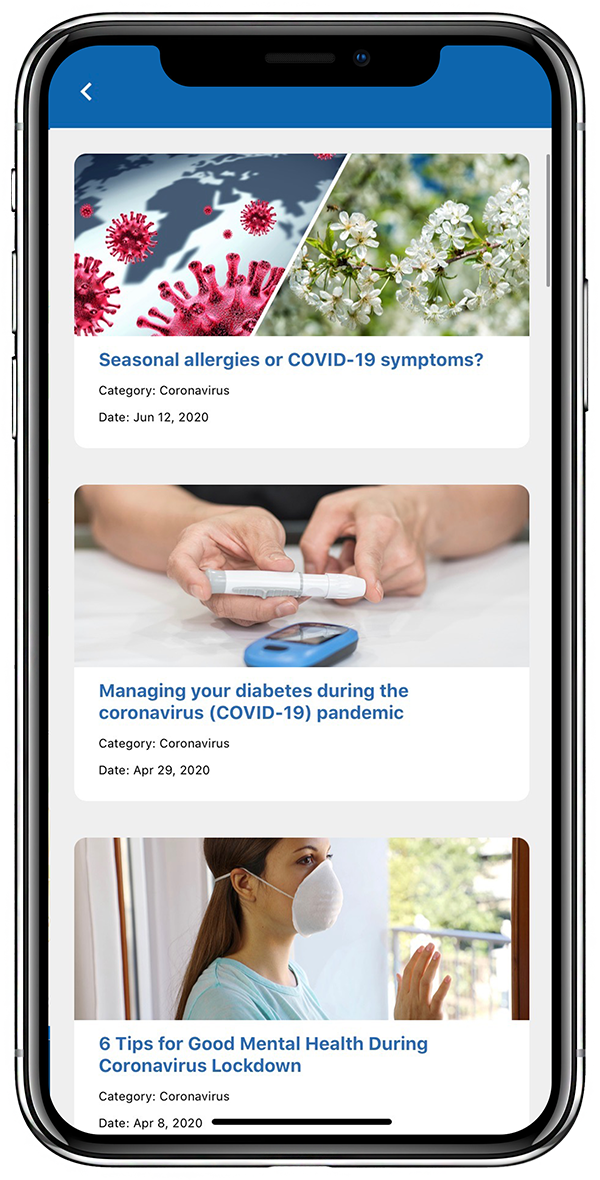
We hope some of you are reading this on the app! At RxSpark, we strive to provide you with interesting and useful articles on everything from prescription savings tips to guidance on how to manage medication and treat common conditions and ailments.
Until now, you could only view our articles on our website, but with our newest version you can stay up to date with the latest news through the app.
Improved User Experience
Apps should be easy to use, so we've made a few improvements to make it easier on the eye, as well as some adjustments to improve the user experience.
Other Features of the RxSpark app
If you have already downloaded the app, you'll be familiar with the features below, but if you haven't tried it, these are some of the main features and capabilities...
- Comprehensive drug search to show you where to find the best prices
- Savings of up to 80% (avg. 54%) at 62,000 pharmacies across the US
- Information on drug side effects and popular health topics
- Rewards Program - earn points when you fill prescriptions
- Social Sharing - so you can earn when you help your friends save
How to use the RxSpark app to save on prescriptions
Finding savings using the app
- Login to the app (optional - you can still use the app if you aren't registered, but you only earn Reward Points when logged in).
- Enter your medication and zip code to search for a price. You can now use the new map view to find the best pharmacy for you.
- Select and save a voucher to get your discount at the pharmacy
- Save to App
- Save to Photos
- Save to Apple Wallet
How to use the vouchers at the pharmacy:
- Show the voucher at the pharmacy
- Pay the discounted price
- Earn Rewards
Download the RxSpark app for iOS on the App Store or from Google Play for Android and start saving on the go!